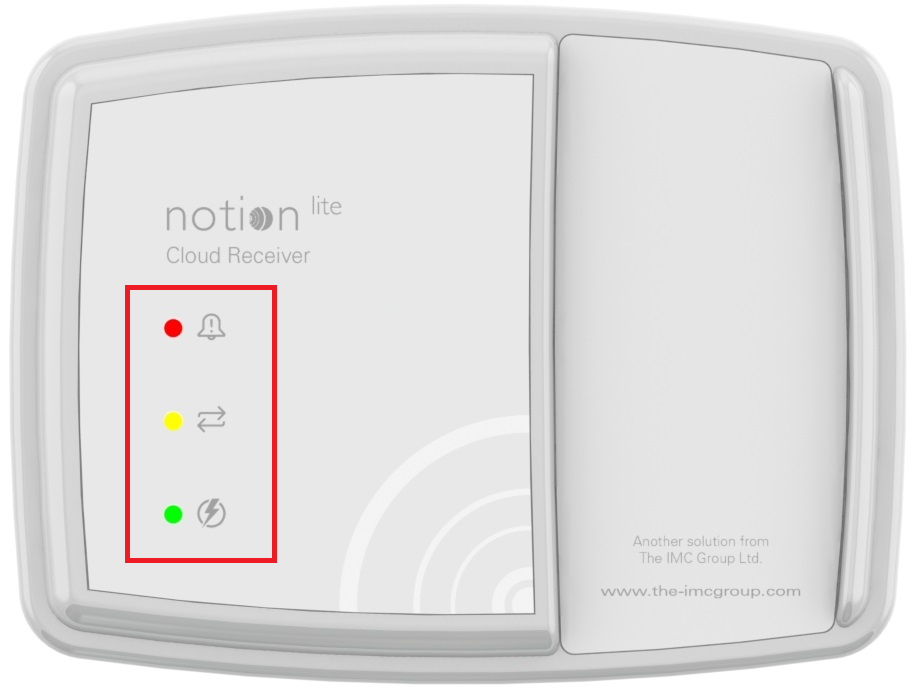
Front Panel Green LED:
•Solid on if mains on, except for brief dimming when a radio message is received.
•Flashing once every 8 seconds if in battery backup mode. No other LEDs on, buzzer will not operate. Radio on for 1 minute in 5. All recorded signals passed over and logged. When power is restored, backfill will take many minutes.
•Off if no mains power, backup battery too flat to use.
Front Panel Red LED:
•Flashing if new Alarm.
•Solid if known Alarm still exists.
•Off if no Alarm on system.
Some time will elapse between web and device status becoming synchronised after a change.
Front Panel Yellow LED:
•Flashes rapidly on power up until IP address is acquired
•Continues to flash (slowly) until web site has been contacted.
•Solid until (a) web site communications fails or (b) mains power fails.
Ethernet Connector LEDs:
| Note: | The Ethernet connector is underneath the unit. |
•Green = Local network activity.
•Yellow = Local network connected.
See also: