If the  symbol is displayed on the Home page, the associated Transmitter-Sensor has gone into an Alarm state (for example, a temperature threshold has been exceeded) and the alarm has not been acknowledged.
To acknowledge an Alarm from Notion Lite:
1.Click on the symbol.
2.On the resulting Alarms page, click 'Acknowledge' against any Transmitter-Sensor channels for which the alarm condition has not been acknowledged.
3.Click the 'Acknowledge' button on the resulting Acknowledge Alarm page. The display returns to the Home page.
For example, an Alarms page could be:
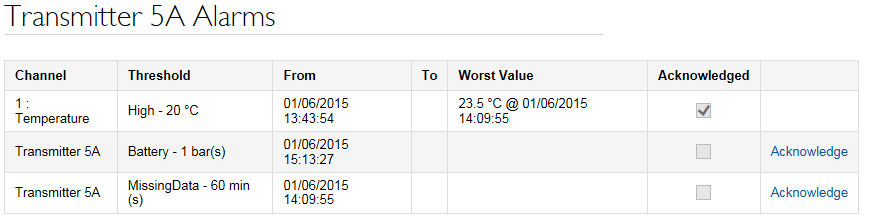
This shows that the alarm given because the temperature has gone over the threshold value has been acknowledged, but that the alarms on the battery and Missing Data thresholds have not been acknowledged. Acknowledging the battery alarm would give:
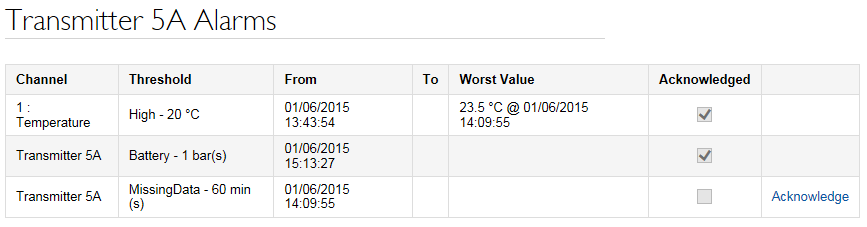
Clicking 'Acknowledge All' on the Alarms page would give the Acknowledge Alarms page where you need to click the 'Acknowledge Alarms' button to confirm that you wish to acknowledge all alarms. In this case the symbol changes to  indicate that the alarms have been acknowledged.